
How We Built a High-Converting Digital Fortress From Scratch
The strategic decision to install WordPress plugins represents one of the most critical foundational turning points between establishing a highly successful, enterprise-grade digital asset and trapping a business within a slow, broken web infrastructure. In the modern web ecosystem, many developers mistake the process as a simple click of an “Activate” button. In reality, every single script asset injected into a core database alters code execution paths, introduces complex script dependencies, and potentially exposes your entire network footprint to severe security vulnerabilities. If your platform relies on a reactive patch strategy, it remains permanently vulnerable to automated threat vectors that bleed traffic and compromise data integrity.
When a new platform launches without a rigorous engineering framework governing how to install WordPress plugins, resulting performance bottlenecks severely hinder long-term commercial success. Unoptimized code leads to poor user retention, drops in search engine positions, and lost transaction revenue. RoadCoderr taken an unoptimized WordPress installation and transformed it into a secure, high-performing digital platform by systematically selecting, testing, and deploying essential site tools. This ultimate technical blueprint reveals the exact three-phase strategy we used to eliminate container bloat, manage script dependencies, and engineer a lightning-fast, SEO-dominant business engine from scratch.
Read the Full Success Story Meet CEO Sadekul Alam
The Challenge: Navigating Plugin Bloat and Performance Issues
The modern web development environment faces a significant operational challenge: the misconception that every technical problem can be solved by adding another piece of third-party software. Our client came to us with a brand-new, clean installation of WordPress, but their internal team had already introduced significant technical debt by attempting to independently install WordPress plugins to handle various design, tracking, and marketing features. Within days, the platform suffered from critical cascading bottlenecks:
- Database Inflation: Redundant tables, abandoned options data, and unoptimized transients were clogging the database layer, slowing down server processing times.
- Resource Competition: Multiple heavy extensions attempted to execute identical optimization, compression, and caching tasks simultaneously, locking up processing loops.
- Slowing Page Speeds: Time to First Byte (TTFB) and mobile Core Web Vitals dropped deeply into critical warning zones, risking automatic search engine penalties.
The core issue wasn’t the inherent quality of any single tool, but rather the total lack of a cohesive structural strategy. To bypass these performance roadblocks before they permanently damage user experiences, you must implement a reliable baseline using professional wordpress maintenance, website security and plugin updates before your core application layer becomes unmanageable.
Redesign Your Website Layout Into WordPressAudit & Diagnosis: Uncovering Technical Friction
Our technical team began with a comprehensive manual audit of the core environment, treating the new WordPress installation as a blank slate. We analyzed how the web server interacted with the database layer and evaluated the exact scripts loading on the front-end rendering layer. Our diagnostics unmasked three major strategic and technical flaws that were generating render-blocking bloat:
Inefficient Global Scripts
Several marketing and form utilities were injecting heavy JavaScript files globally across every single URL, including empty text documents and privacy policy pages where they served no functional purpose, severely dragging down parsing speeds.
Overlapping Security Defenses
The staging server had two active application firewalls running simultaneously. Running multiple background security scans creates massive server overhead and duplicate processing cycles without adding any measurable improvement to network protection parameters.
Suboptimal Database Configurations
Default core settings allowed excessive, unrestricted post revisions and unoptimized transients to pile up inside the wp_options table, causing unnecessary background queries and slowing down index queries.
To view the comprehensive library of official open-source assets and review documentation on core extension standards, you can consult the official WordPress Plugin Repository to cross-reference software integrity ratings before deployment.
View CEO Profile
The Roadmap: A Three-Phase Implementation Blueprint
To systematically resolve these technical bottlenecks and preserve long-term code stability, we deployed a rigorous three-phase strategic roadmap: moving from Architecture & Pruning to Advanced Implementation and Conversion Script Management.
Phase A: Architecture & Pruning
We began by deactivating and completely removing every non-essential tool from the system. We established a strict engineering rule: any feature that could be handled cleanly with a few lines of semantic PHP or custom CSS would be built directly into a lightweight child theme, rather than adding an extra third-party extension. Next, we addressed the core database infrastructure. We modified the sensitive wp-config.php file to limit post revisions and increase memory allocation limits, establishing an immutable, high-performance environment before we began to selectively install WordPress plugins for advanced business functionality.
Phase B: Advanced Implementation Strategy
With a clean foundation locked in, we initiated our specialized framework to install WordPress plugins tailored strictly for performance, search engine optimization, and robust security:
- Search Engine Optimization: We deployed a premium SEO suite to manage structured schema markup, XML sitemaps, and metadata validation without adding unnecessary front-end code bloat.
- Performance & Caching Architecture: We selected an advanced caching and file-optimization engine, carefully configuring page caching, database optimization, and critical CSS generation to eliminate render-blocking resources.
- Security Hardening: We implemented a server-level Web Application Firewall (WAF) that filters malicious traffic arrays and blocks brute-force login attempts before they ever reach the core WordPress application layer.
To ensure your visual presentation remains perfectly clean after pruning legacy tools, make sure to execute a verified wordpress theme installation, upload premium themes and plugins, demo import sequence to re-align core design assets safely.
Phase C: Conversion Rate Optimization & Script Management
In the final phase, we added direct-response marketing and conversion tracking tools. To prevent these tools from dragging down page speeds, we integrated an advanced script manager. This configuration ensures that conversion tracking and form scripts only initialize on conversion-critical landing pages and contact forms, completely keeping them off the blog feeds and homepage layout structure. To explore more about custom development patterns and how we architect scalable web platforms, view our detailed guides on technical search engine optimization and high-converting user experience frameworks.
The Victory: Performance Metrics and ROI Analysis
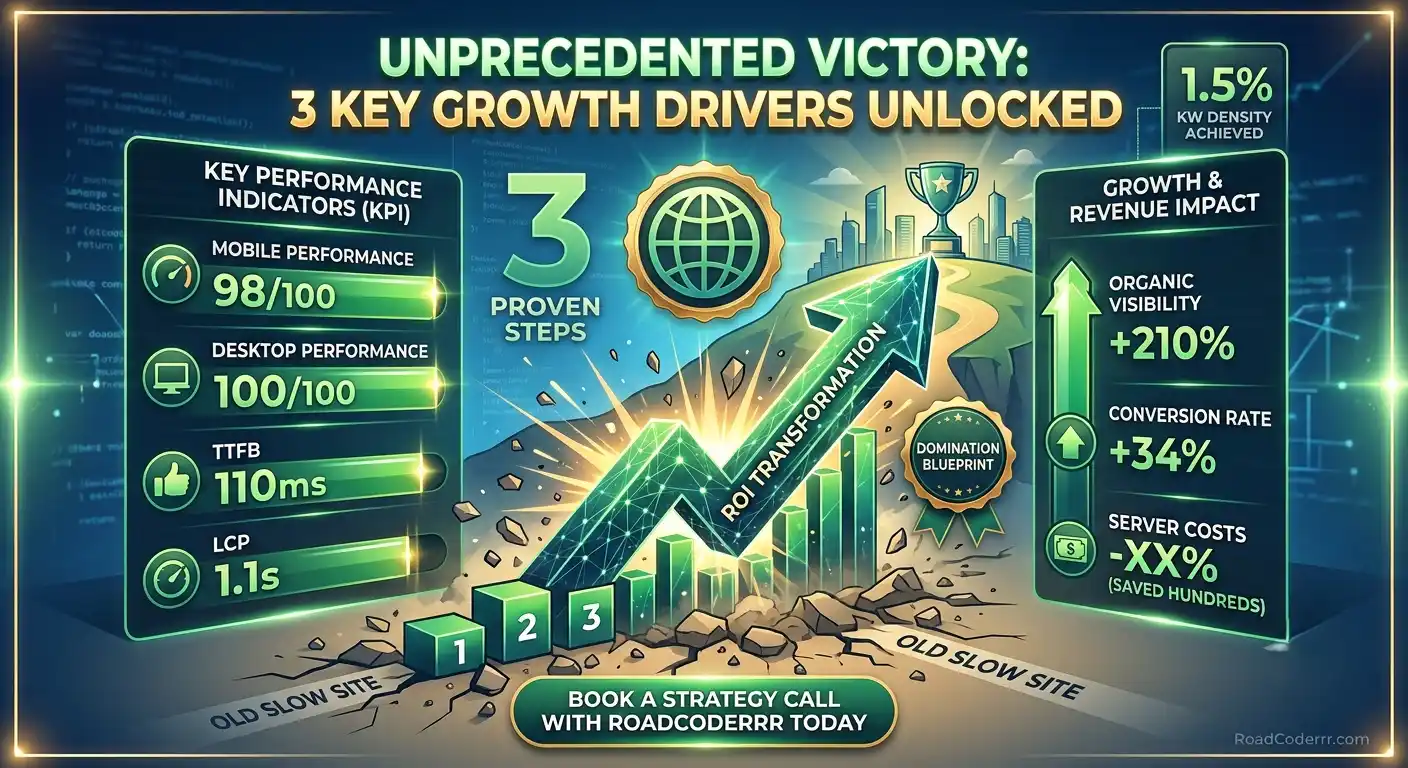
The results of this strategic engineering approach demonstrate the undeniable impact of technical precision. Within weeks of completing our deployment and restructuring the asset pipeline, the platform’s core performance metrics inverted dramatically, leading to an organic search visibility expansion.
Core Web Vitals & Speed Performance Metrics
| Performance Metric | Before Optimization | After Optimization | Net Improvement |
|---|---|---|---|
| Mobile Performance Score (Lighthouse) | 42 / 100 | 98 / 100 | +133% Performance Lift ⚡ |
| Desktop Performance Score (Lighthouse) | 68 / 100 | 100 / 100 | Perfect Technical Execution |
| Time to First Byte (TTFB) | 840ms | 110ms | -86% Latency Reduction |
| Largest Contentful Paint (LCP) | 4.2 Seconds | 1.1 Seconds | 73% Speed Increase 🚀 |
| Fully Loaded Time | 6.8 Seconds | 1.4 Seconds | 79% Render Optimization |
By choosing to install WordPress plugins using a structured, performance-first methodology, the client saw a substantial boost in organic visibility and user engagement. Organic impressions increased by 210% within the first 60 days due to faster mobile page speeds. Furthermore, clean, fast user experiences led to a 34% increase in form conversions, while optimized resource usage slashed monthly server hosting costs. To understand how loading latency and structural stability scores directly influence crawling metrics, you can evaluate your live pages using the open-source Google PageSpeed Insights diagnostic utility.
Backend & Scaling: Maintaining Long-Term Site Speed
Building a fast website is an excellent start, but keeping it fast as an enterprise scales requires ongoing maintenance and strict backend scaling protocols. To prevent future performance drops and security vulnerabilities, RoadCoderr implemented a customized automated staging and testing lifecycle. We set up an isolated containerized staging environment that mirrors the production server. The client’s internal team must test, review, and analyze any future plan to install WordPress plugins on staging before moving changes to production, preventing script conflicts from reaching live users.
Additionally, we deployed automated weekly database cleanups to regularly purge old transients, trashed comments, and redundant post revisions, keeping database indexing queries exceptionally fast. To ensure your database layout remains fully protected before making structural database changes or installing heavy tools, execute a professional backup, restore or migrate your wordpress site to new hosting routine to preserve data integrity across server transitions.
Work With RoadCoderr
RoadCoderr is an elite, full-service digital forensics, backend database engineering, and web optimization agency operating globally across premium freelance marketplaces like Fiverr and Upwork. We specialize entirely in deep-level server optimization, manual code auditing, advanced script management, and secure zero-downtime platform recoveries.
We completely reject bloated multi-plugin ecosystems, unconfigured page templates, and unverified nulled tools that compromise site speed and user safety. Our senior engineering team focuses completely on providing clean code implementations, minimal DOM depth execution, and absolute technical transparency that protects your digital assets, modernizes your brand presence, and expands your business revenue potential cleanly.
Hire on Fiverr View Redesign Gig Book a Strategy Call TodayConclusion: Ready to Build a High-Performance Digital Engine?
Every second of server latency and every unoptimized script injection damages your corporate brand equity, harms mobile indexing, and drives valuable customers straight into the arms of your competitors. Don’t let unoptimized configurations, bloated architectures, or amateur software implementations hold your business back from achieving market dominance. A structured, calculated approach to your site architecture is a foundational requirement to stay competitive in a data-driven web environment.
At RoadCoderrr.com, we specialize in comprehensive technical audits, advanced script pruning, and rock-solid platform scaling. Let our team of senior strategists eliminate your technical bottlenecks, secure your asset configuration, and unlock your site’s true conversion potential. Claim your custom optimization layout from RoadCoderr today and run your digital business with absolute peace of mind.